Introduction
The chatgpt photo editor has made image editing easier for people who do not use complex design software. Instead of learning many tools, you can describe the change you want in normal language. ChatGPT can create images and edit existing ones from your instructions. You can upload a photo and ask for changes to the background, clothing, lighting, objects, or overall style. OpenAI says ChatGPT Images supports both creating new images and editing existing uploads.
The chatgpt photo editor free experience can also be useful for simple creative tasks. You can experiment with different ideas without needing advanced photo-editing skills. However, availability and limits can depend on your ChatGPT plan and current product access. ChatGPT Images is currently available across web, iOS, and Android.
What Is the ChatGPT Photo Editor?
The chatgpt photo editor is an image editing feature built into ChatGPT. It lets users upload an existing picture and explain the desired changes. You can also edit an image that ChatGPT created earlier. The process works through natural-language instructions instead of traditional editing controls. This makes the tool easier for beginners who may not understand layers, masks, or advanced retouching tools.
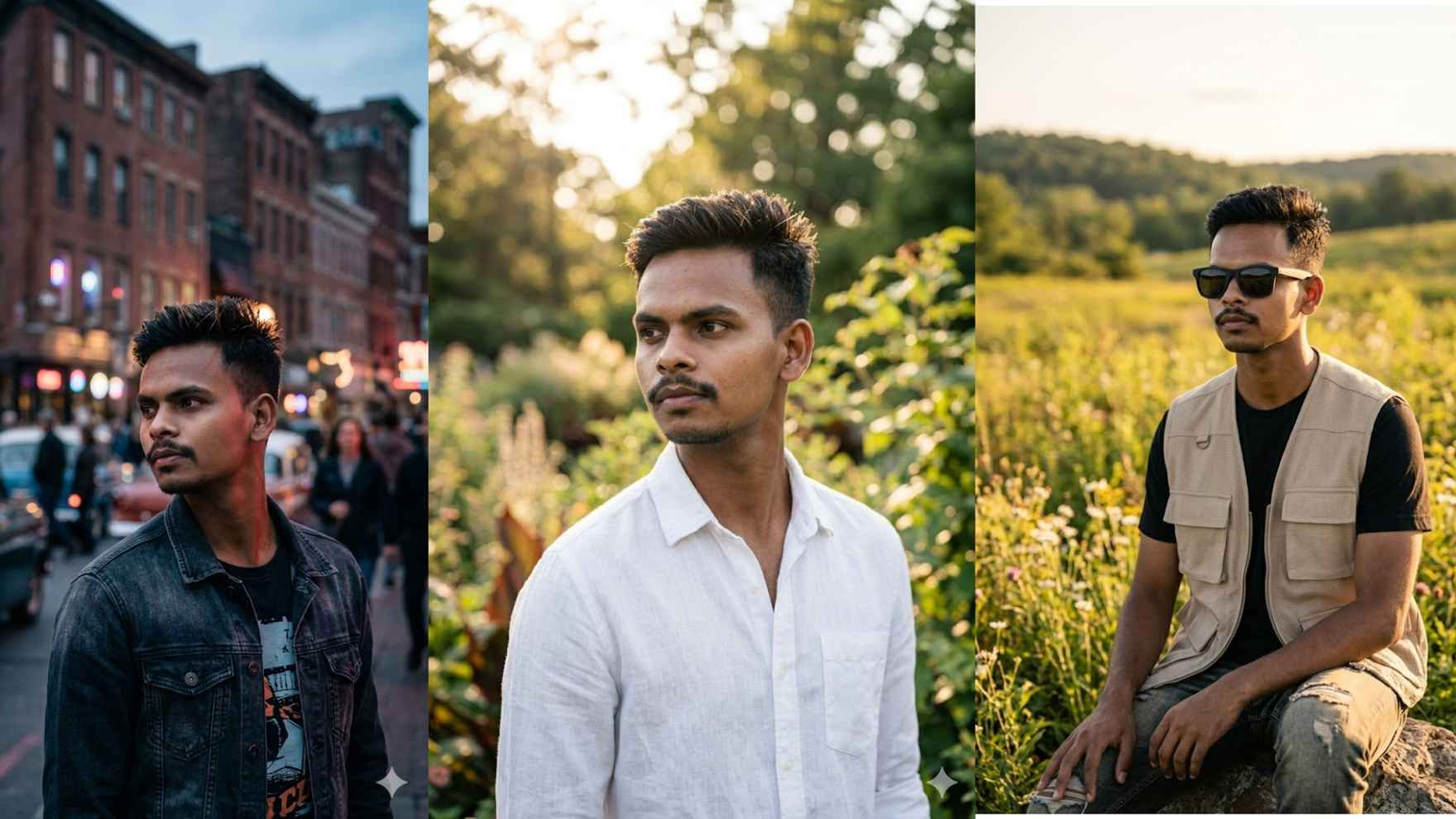
For example, you could upload a portrait and say, “Remove the objects behind me and replace the background with a clean studio wall.” You could then ask for another adjustment. This conversational approach lets you refine the result step by step. OpenAI also explains that users can select a specific part of an image before describing the change.
Quick Details About ChatGPT Image Editing
| Detail | Information |
|---|---|
| Tool | ChatGPT Images |
| Main use | Creating and editing images |
| Editing method | Natural-language prompts |
| Existing photos | Supported |
| Selection editing | Supported |
| Aspect ratios | Multiple options |
| Platforms | Web, iOS, Android |
| Beginner friendly | Yes |
| Image saving | Supported |
| Latest image system | ChatGPT Images 2.5 |
These details make the tool useful for everyday visual projects. ChatGPT Images 2.5 was introduced with improvements to editing precision, image detail, lighting, textures, and subject preservation. OpenAI says the newer system also follows editing instructions more reliably across multiple turns.
Is ChatGPT Photo Editor Free?
The chatgpt photo editor free option is useful for people who want to explore AI image editing without starting with complicated software. OpenAI currently states that ChatGPT Images is available on all ChatGPT tiers. However, different features and usage limits can vary by plan.
This means users should check their own ChatGPT interface for the features currently available to them. A free experience does not necessarily mean unlimited image creation or unlimited edits. Limits can change as products develop. For casual users, the available access may still be enough for simple edits, creative experiments, and basic image projects.
How Does ChatGPT Photo Editor Work?
The chatgpt photo editor works through a simple conversation. First, upload an image or select an image created by ChatGPT. Then describe the change you want. You can make your request broad or specific. For example, you might ask ChatGPT to brighten a dark room or remove an unwanted object.
You can also select part of an image and focus your instructions on that area. OpenAI notes that selections are not always perfectly precise. Edits can sometimes extend beyond the highlighted area. Therefore, clear prompts remain important even when using the selection tool.
What Can You Edit With ChatGPT?
The chatgpt photo editor can handle many creative image changes. You can ask it to add, remove, replace, combine, or transform visual elements. OpenAI describes improvements in these editing areas, including better preservation of important visual details.
Common examples include changing backgrounds, modifying clothing, creating new visual styles, improving compositions, and making promotional graphics. You can also ask for different image proportions. This can help when preparing images for websites, social posts, posters, or other visual content.
How to Write Better Editing Prompts
Good prompts can make the chatgpt photo editor easier to use. You do not need a long technical description. OpenAI recommends clear prompts that explain the subject, purpose, setting, style, and important constraints.
For example, instead of saying “make it better,” give a clear instruction. You could say, “Make the background brighter while keeping the person, clothes, face, and lighting unchanged.” This tells the editor what to change and what to protect. Small, targeted revisions are often easier to manage than asking for many changes at once.
ChatGPT Photo Editor for Background Changes
The chatgpt photo editor can be helpful when you want to change an image background. You can replace a busy background with a simple wall, outdoor scene, studio setting, or another environment. You can also explain the lighting you want so the new background fits the original subject.
For product photos, background changes can create a cleaner presentation. For portraits, you can create a professional-looking setting without rebuilding the entire image. Still, you should review the final image carefully. AI editing can sometimes change details that you wanted to preserve.
ChatGPT Photo Editor for Creative Transformations
The chatgpt photo editor is not limited to basic corrections. You can also use it for creative transformations. For example, you could turn a normal photograph into an illustrated poster or give it a different visual mood. OpenAI says ChatGPT Images supports creative transformations while working to preserve important image details.
This can be useful for bloggers, creators, students, marketers, and small businesses. You can experiment with several visual ideas before choosing a direction. A useful approach is to change one major element at a time. This makes it easier to understand which instruction produced each result.
ChatGPT Photo Editor for Social Media
The chatgpt photo editor can also help prepare visual content for social platforms. You can request different aspect ratios and adjust an image for a particular layout. OpenAI confirms that ChatGPT Images supports different aspect ratios through its image controls.
For example, you could ask for a portrait version, square version, or wider composition. You can also request changes to text placement, visual style, and background elements. Before posting, check names, logos, faces, and important text carefully. AI-generated or edited images can still contain mistakes.
Benefits for Beginners
One major advantage of the chatgpt photo editor is its simple interaction style. Beginners can describe what they want instead of learning a large collection of editing controls. This can save time when the task is small and straightforward.
Another benefit is the ability to continue editing through conversation. You can ask for a change, review the result, and request another adjustment. OpenAI says the newer ChatGPT Images system is designed for more reliable multi-turn editing.
This makes the workflow feel more like working with a creative assistant. You can start with a basic idea and improve it gradually.
Tips for Better Photo Editing Results
When using the chatgpt photo editor, be specific about what should change. Mention the location of the object, desired style, lighting, and important details that should remain untouched. Avoid vague instructions when precision matters.
It is also helpful to make smaller edits first. If you want to change the background, clothing, lighting, and facial expression, consider handling them separately. OpenAI’s image prompting guidance recommends small, targeted revisions because direct feedback can be easier for the model to follow.
Always inspect the final image before publishing it. Look closely at hands, text, faces, product details, and backgrounds.
Important Things to Remember
The chatgpt photo editor is powerful, but it is not perfect. An edit may sometimes affect areas you did not intend to change. OpenAI specifically notes that selected areas are not always precise and edits may extend outside the highlighted region.
Privacy should also be considered when uploading personal photographs. Only upload images you are comfortable processing through the service. Avoid sharing sensitive information unless you understand the relevant privacy settings and policies.
For professional work, always review the output manually. AI tools can speed up creative work, but human checking remains important.
ChatGPT Photo Editor vs Traditional Editing
The chatgpt photo editor uses conversational instructions, while traditional editors often rely on menus, layers, brushes, masks, and manual adjustments. Both approaches can be useful for different projects.
AI editing can be convenient when you want to describe a visual result quickly. Traditional software may offer more detailed manual control for advanced workflows. The right approach depends on your project, skill level, and desired level of control.
For quick changes, conversational editing can feel simple. For highly controlled professional production, users may still prefer a dedicated editing application alongside AI tools.
Final Thoughts
The chatgpt photo editor gives everyday users a simple way to create and modify images. You can upload an existing photo, describe your desired changes, select specific areas, and continue refining the result. Current ChatGPT Images features include image creation, editing, aspect-ratio controls, and image management.
The chatgpt photo editor free experience can be a useful starting point for beginners. Still, users should check their current account for exact availability and limits. The best results usually come from short, clear prompts and careful review.
If you want to try AI image editing, start with a simple photo and one clear change. Then refine the result gradually. This approach helps you learn how the tool responds and gives you more control over the final image.
FAQs
Q1: What is the ChatGPT photo editor?
The chatgpt photo editor is ChatGPT’s image editing capability. It allows users to upload images and describe desired changes using natural language. You can also edit images created within ChatGPT.
Q2: Is ChatGPT photo editor free?
The chatgpt photo editor free option can be available through ChatGPT Images. OpenAI currently says ChatGPT Images is available across all tiers, though specific features and usage limits can vary.
Q3: Can I edit an existing photo?
Yes. The chatgpt photo editor supports editing existing uploaded images. You can describe the changes directly or select an area before giving your editing instruction.
Q4: Can ChatGPT remove objects from photos?
Yes. You can ask the chatgpt photo editor to remove unwanted objects. It can also add or replace visual elements. Results can vary, so review the edited image carefully.
Q5: Can I change an image background?
Yes. Background replacement is one useful application of the chatgpt photo editor. Give a clear description of the new setting and explain which parts should remain unchanged.
Q6: How can I get better editing results?
Use clear instructions with specific details. Tell ChatGPT what to change and what to keep. OpenAI recommends focused prompts and small revisions when refining images.
